
View and access data models (Beta)
View and access data models (Beta)
This documentation describes one or more public beta features that are in development. Beta features are subject to quick, iterative changes; therefore the current user experience in the Sigma service can differ from the information provided in this page.
This page should not be considered official published documentation until Sigma removes this notice and the beta flag on the corresponding feature(s) in the Sigma service. For the full beta feature disclaimer, see Beta features.
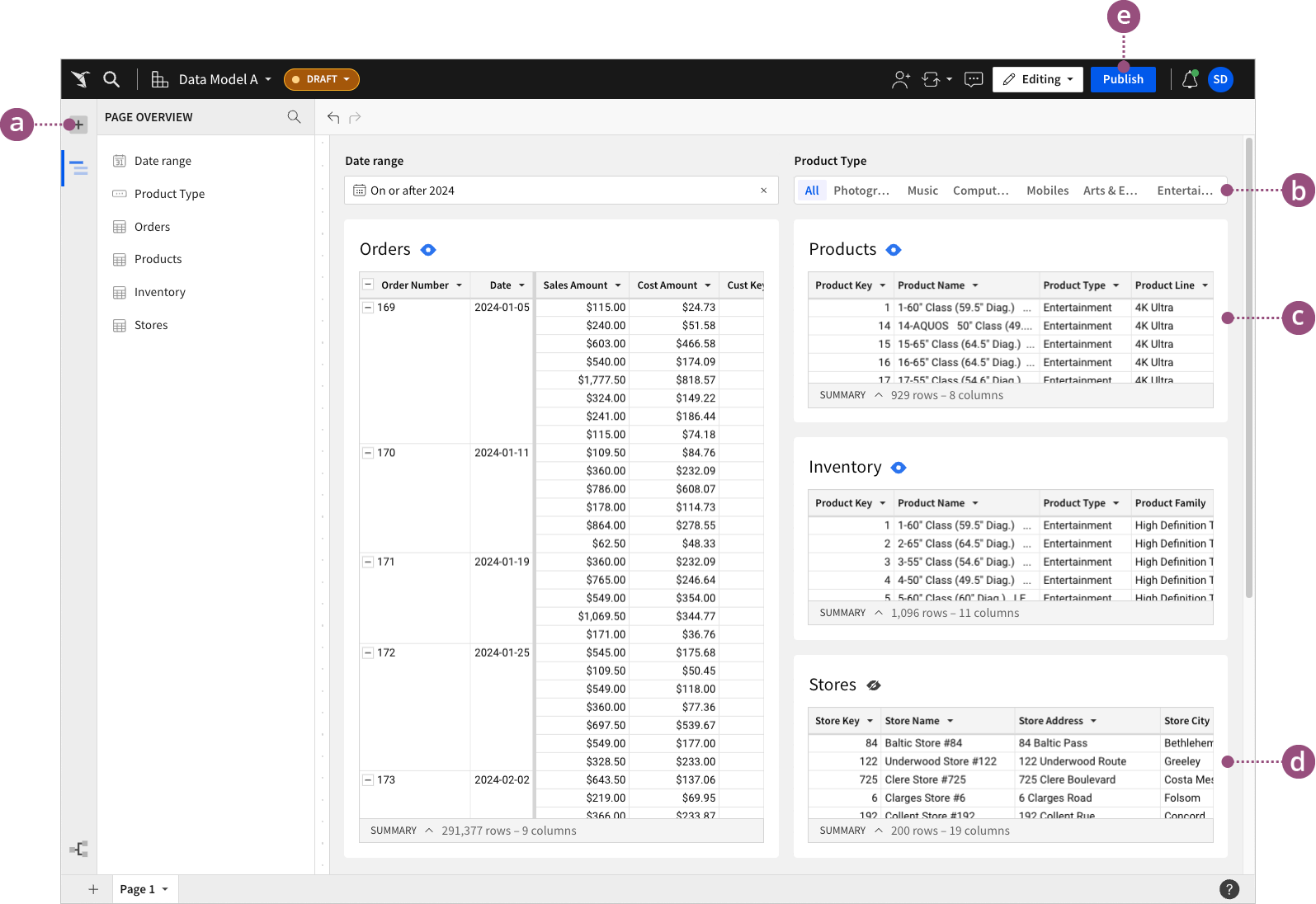
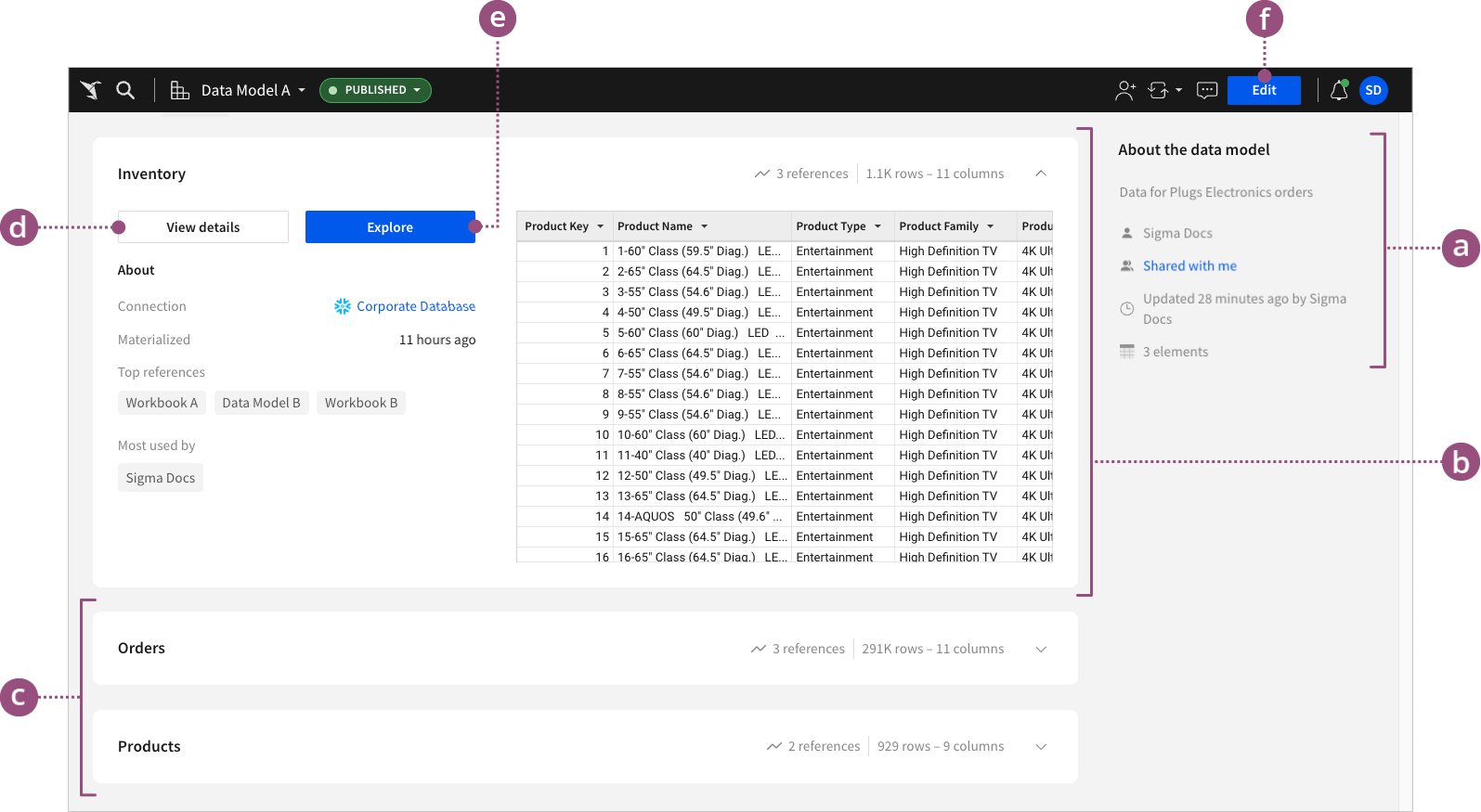
Each data model consists of two pages for ease of use: an overview page and a workbook page. The overview page provides reusable element previews, metadata, and key insights into data model usage across your organization, while the workbook page allows you to create and transform reusable elements.
The following sections explain the two main components of a data model: the overview page and the workbook page.
Data model overview page
The overview page provides details of each reusable element in the data model for improved data visibility and management. It also features metadata about the model itself and each reusable element it contains, revealing insights into how and where the reusable data is used across the organization.
Data model workbook page
The workbook view allows you to create and manage multiple tables and input tables as reusable elements within a single data model. This format brings the ease and flexibility of workbooks to data model development. Consolidate and transform your data as you would in a workbook analysis, and control which elements are reusable as data sources across your organization.