

Examine workbook and data model queries
When you open a workbook or data model, Sigma generates and runs optimized SQL queries to retrieve data from your connected data platform. The query results are returned securely to your web browser.
You can review the query syntax and other details for queries run during your browser session by opening the Query history for a workbook or data model. For details about query history for datasets, see Examine dataset queries.
Query history displays an overview of recent queries performed from the workbook in your user session, including the runtime and current status of the queries. You can dig deeper into individual queries to view the underlying SQL, gather a request ID for troubleshooting, and investigate any errors.
View recent queries
Query history displays recent queries run from the workbook or data model during your existing session. The list of individual queries for the document automatically shows details for each query.
- In the document header, next to the refresh data button, click More options.
- Select Query history.

View browser calculations
Some queries return results from your data platform, others from the results cache in your data platform, and other results are returned from your browser cache.
By default, the calculations performed in your browser are hidden from the query history because they are not sent to the data platform. To view the browser calculation history, do the following:
- In the document header, next to the refresh data button, click More options (
 ).
). - Select Query history.
- At the top of the Query history modal, turn on the View browser calculations toggle.
- Review the Execution Path column for Browser entries.
For more details on browser calculations, see Query execution path details.
View individual query details
To view details of an individual query, such as the generated SQL, full run time, or a request ID for troubleshooting, do the following:
-
In the document header, next to the refresh data button, click More options.
-
Select Query history.
-
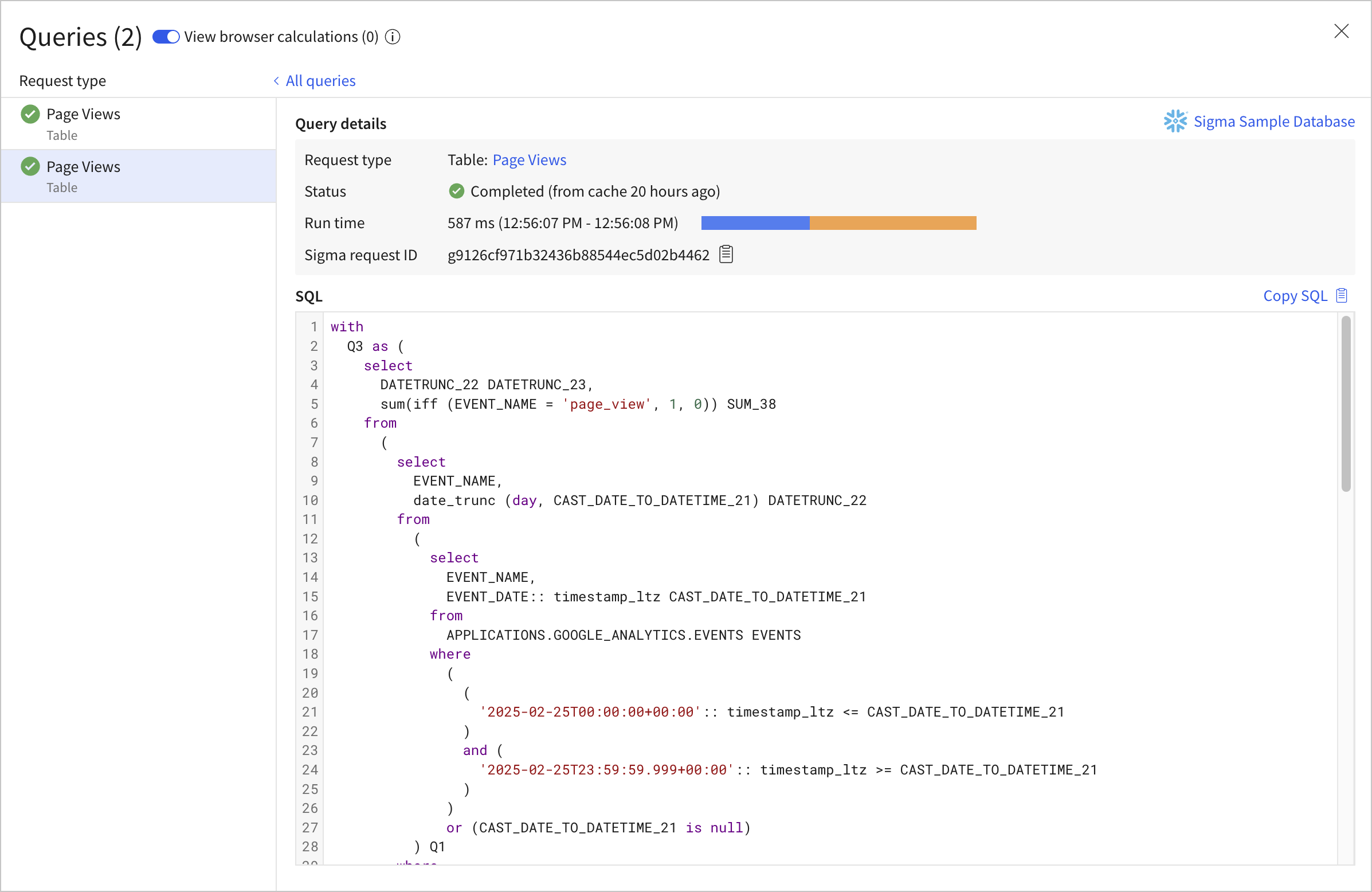
Select the query that you want to examine. Sigma displays details for the selected query:
-
Explore the query detail view:
- Select the element name to open the data element for which the query was run.
- Review the run time and duration.
- View and copy the generated SQL.
- For a failed query, review the error message.
- Copy a request ID to share with Sigma Support when troubleshooting.
For more details, review the Query history reference.
Pause and resume queries
To make changes to your document without automatically running queries against your data platform, pause queries:
-
In the document header, next to the refresh data button, click More options.
-
Select Pause queries.
To resume running queries after pausing queries, select Resume queries.
Query history reference
For more details on statuses, run time, request type, and execution path details, see the following sections:
Query status types
The following query statuses can occur within Sigma:


Query run time
A detailed query run time breakdown is available for successfully completed and timed out queries. Query run times can vary due to network traffic, queue delay, or data platform processing time. The run time breakdown lets you review whether and at what stage your query encountered delays.
The run time is broken into several parts:
- Queue duration: The amount of time the query waits in Sigma’s queue before being sent to the data platform. For certain data platforms, the Sigma queue is used to limit the number of concurrent requests sent to the data platform.
- Sigma runtime: The amount of time Sigma takes to process the query, excluding queue duration and data platform time. Failed and cancelled queries attribute all run time to Sigma, even if the query failed due to a timeout in the data platform.
- Warehouse runtime: The amount of time between when Sigma sends a request to your data platform and when it gets a response back, which is roughly equivalent to the amount of time the data platform spent running your query.
- Result fetch time: The amount of time Sigma takes to retrieve the results from the data platform.
- Details unavailable: For some export queries, such as PDF downloads, run time breakdown details are not available.
Incomplete queries and download or export requests do not display a detailed run time breakdown.
If you have concerns with the run time of a specific query, such as a significant amount of queueing time, contact Sigma Support
Query request types
Sigma makes different types of optimized queries to the data platform to retrieve different types of information.
When examining the query history for your document, you might see some of the following request types:
Query execution path details
Depending on what data is available to Sigma, the execution path of a query might be different:
For more details, see Caching and data freshness.