

Intro to data models (Beta)
Intro to data models (Beta)
This documentation describes one or more public beta features that are in development. Beta features are subject to quick, iterative changes; therefore the current user experience in the Sigma service can differ from the information provided in this page.
This page should not be considered official published documentation until Sigma removes this notice and the beta flag on the corresponding feature(s) in the Sigma service. For the full beta feature disclaimer, see Beta features.
A data model is a type of Sigma document that provides the framework for creating and managing a collection of reusable elements. Reusable elements allow you to curate consumable, focused views of data from your data platform, which can be used as sources in workbooks and other data models.
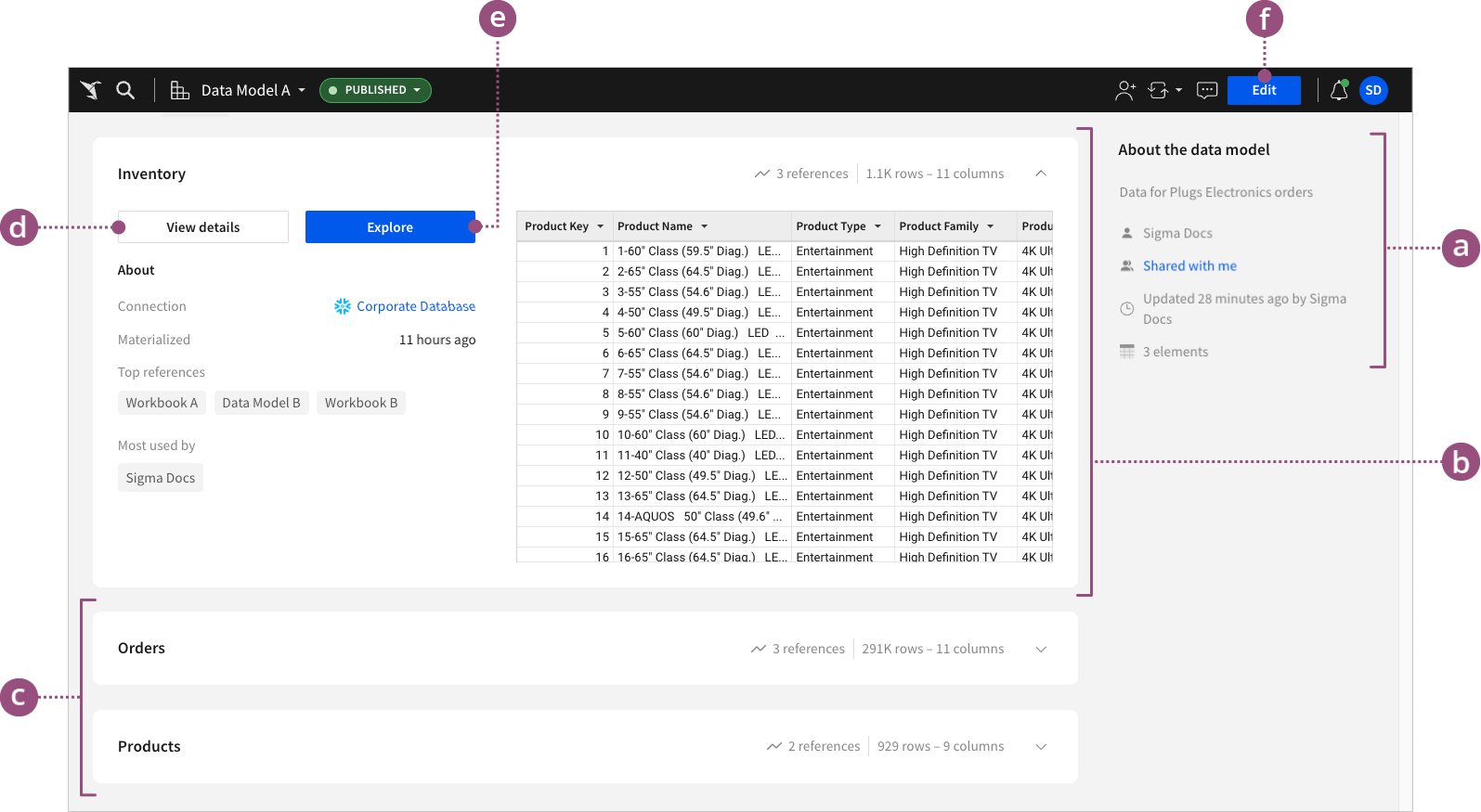
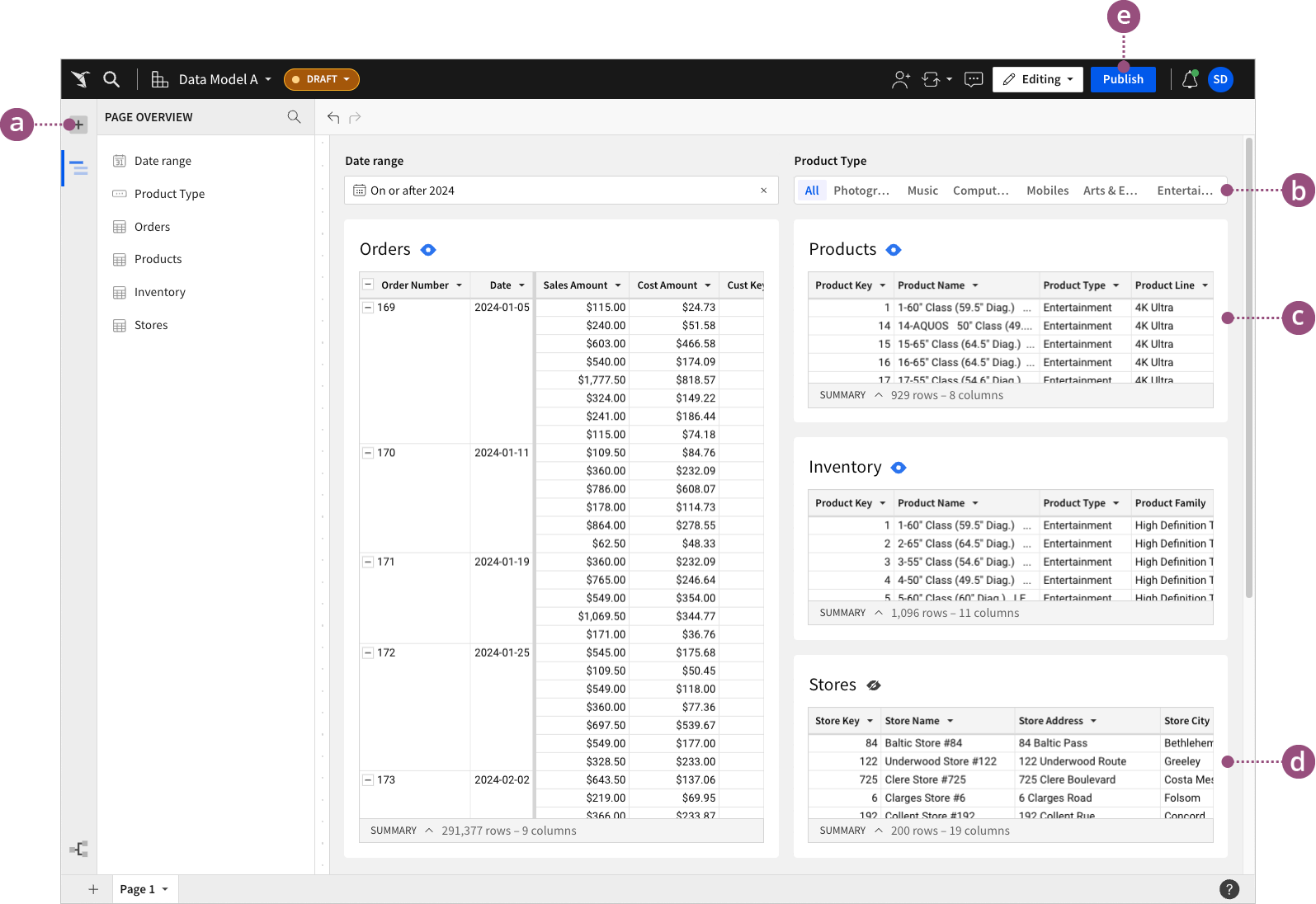
Each data model consists of two pages for ease of use: an overview page and a workbook page. The overview page provides reusable element previews, metadata, and key insights into data model usage across your organization, while the workbook page allows you to create and transform reusable elements.
This document introduces data model concepts and explains the overview page and workbook page. For information about using data models, see Create and manage data models.
Data models and reusable elements are designed to replace the existing dataset functionality. However, Sigma will continue to support datasets until data models are fully developed and can facilitate a seamless transition. For information about datasets, see Intro to the dataset worksheet.
Understanding data models
Data models offer a comprehensive, dynamic platform to consolidate, transform, and share related data that your organization members can reuse in workbooks and other data models. A single data model serves as a container for a collection of reusable elements that can offer different subsets, perspectives, or evaluations of the data model’s broader data context. This cumulative data representation facilitates a convenient, structured foundation for building relevant, detailed workbook analyses.
Additional benefits of data models:
-
Centralized permissions: Grant permissions at the data model level for consistent, streamlined access control.
-
Efficient data handling: Enhance reusable elements with controls to easily filter and refine data segments.
-
Flexible reusability: Quickly enable or disable elements for reuse as data sources.
The following sections explain the two main components of a data model: the overview page and the workbook page.
Data model overview page
The overview page provides details of each reusable element in the data model for improved data visibility and management. It also features metadata about the model itself and each reusable element it contains, revealing insights into how and where the reusable data is used across the organization.
Data model workbook page
The workbook view allows you to create and manage multiple tables and input tables as reusable elements within a single data model. This format brings the ease and flexibility of workbooks to data model development. Consolidate and transform your data as you would in a workbook analysis, and control which elements are reusable as data sources across your organization.


Frequently asked questions
Do data models and reusable elements support the same functionality as datasets?
Data models currently support the following functionality available to datasets:
- Row-level security
- Materializations
- Warehouse views
- Parameters
- URL parameters Additional functionality support will continue to roll out during the beta development phase.
Will the current dataset document type be deprecated?
Data models and reusable elements are designed to replace the existing dataset functionality. Sigma will eventually deprecate datasets but will continue to support them until data models are fully developed and can facilitate a seamless transition. Prior to this deprecation, Sigma will notify all customers and implement an automated migration path to convert all datasets to data models.